| |
|
|
|
 |
Downloading the USB Driver |
|
|
Please read the following instructions carefully before downloading your software.
- Click on the Applicable link below:
- When asked where you want to save the file, save it to your desktop.
- Double click on the file you just saved. A screen like this will appear:
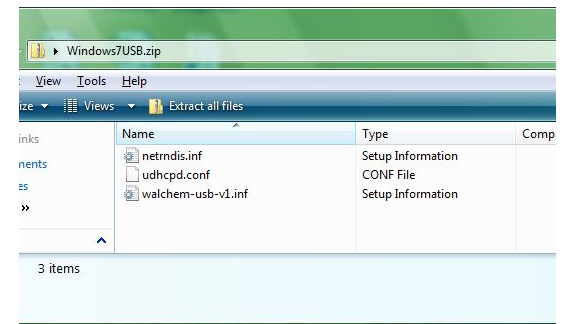
- Click "Extract all files" Save the files to your C: Drive.
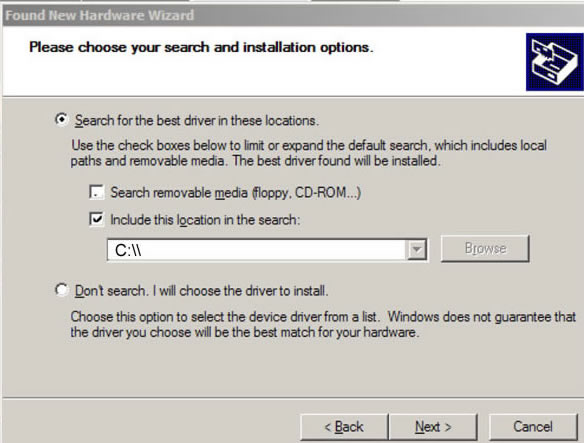
- Using the Quick Start Guide, install the driver. When you get to this screen, click "Include this location..." and then type C:\\
|
|
|
|
|